
ZK77 Pakistan
ZK77 Pakistan Registration Guide
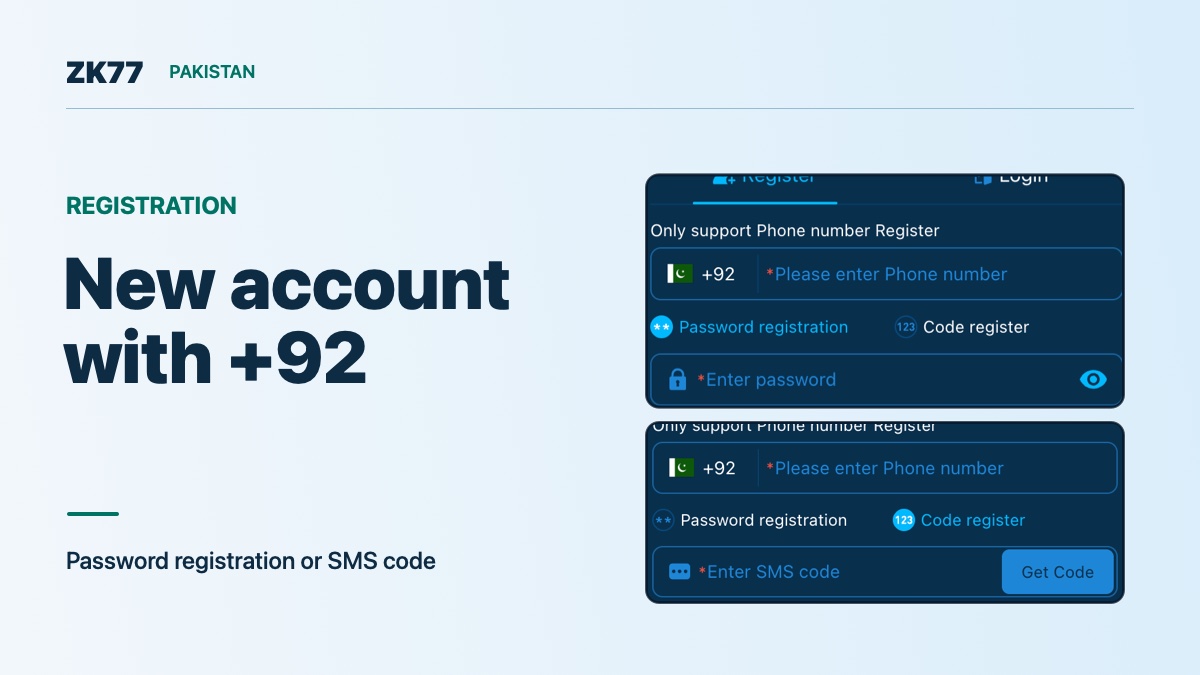
Use your +92 phone number and choose Password registration or Code register. If you enter a referral code, its currency must match your account currency.
Before You Open the Form
- A +92 mobile number you control.
- Access to SMS if the form asks for a code.
- The account terms shown in the form.
- A matching referral code if you choose to use one.
Steps
Choose Password or SMS Registration
The registration form uses a +92 phone number.
Open Register
Check that +92 appears beside the phone number field.
Password registration
Keep the Password registration tab selected and fill in the password field.
Code register
Switch to Code register, select Get Code and enter the SMS code you receive.
Review the referral field and agreement
Match the referral code currency to your account currency if you use one. Read the age statement and User Agreement before continuing.
Know Where to Check New Account Offers
Compare the QR, app and other activity cards on Promotions. Check the eligible action in the platform for an offer you are considering.
 QR deposits
Up to PKR 1,500 Extra on Eligible QR Deposits
The lobby announcement lists Scan with EasyPaisa and Scan with JazzCash. Check the reward shown for your selected QR order.
Selected QR routes only. Up to PKR 1,500.
View rules
- Choose the matching QR route in the cashier.
- Review the amount and reward shown for the order.
- If funds are debited and the order does not credit, use the payment record and contact support before repeating the payment.
Registration Questions
What if an SMS code does not arrive?
Check the number, wait for any resend timer and use Customer Service if the issue persists.
Should I open a new account to fix a sign-in issue?
Try Login Help or contact Support about the existing account first.
Already registered?
Use the login guide to find password, code or account recovery options.