
ZK77 Pakistan
ZK77 Pakistan Login Help
Start with your registered +92 number. Use the password or SMS code route shown for your account, or open Forgot Password if you cannot sign in.
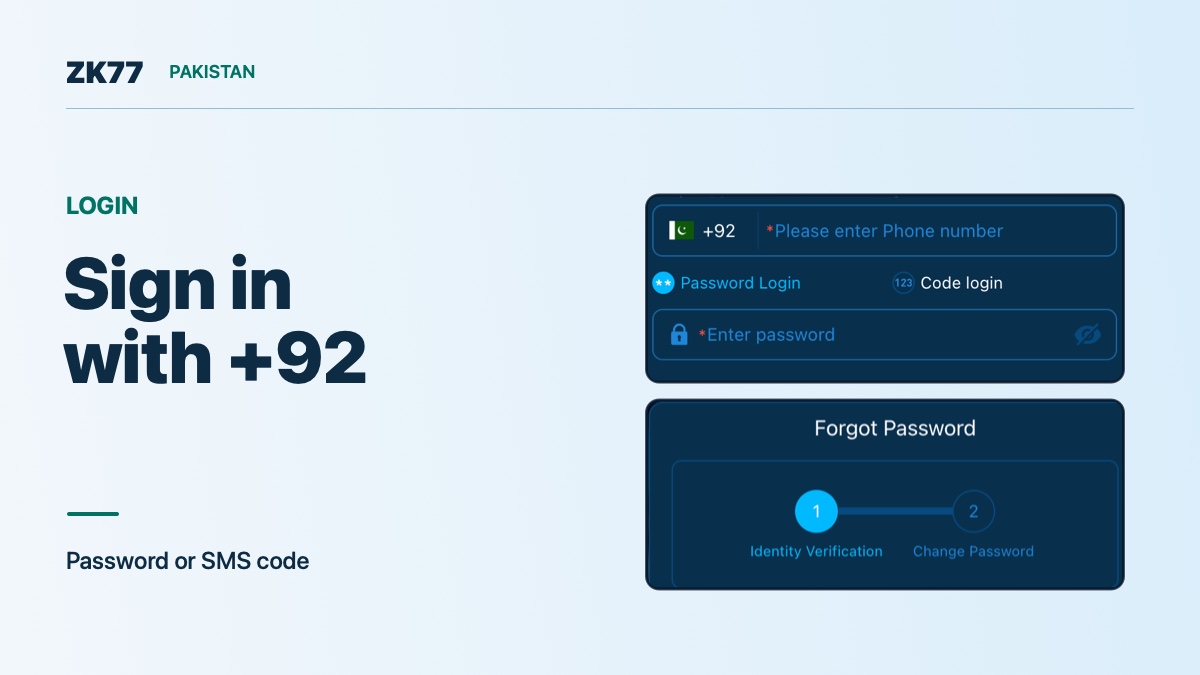
Steps
Password, SMS Code and Recovery
Use the Login tab with the registered +92 number.
Password Login
Select Password Login and enter the registered phone number and password.
Code login
Select Code login and tap Get Code. Enter the SMS code received on the registered number.
Forgot Password
Select Forgot Password below Login. The first screen shows Identity Verification. Follow the prompts to reach Change Password.
Find the Fix That Matches Your Screen
Choose the row that matches what you see on the screen.
SMS code did not arrive
Check the country code and number, wait for the resend timer and confirm that the phone can receive service SMS.
Browse Account GuidesForgot Password
The recovery screen asks for Phone number, Email or Account at Identity Verification. Tap Next to see what verification is available for your account.
Get Account SupportNo access to the original number
Tell Support which verification step is unavailable. Check what recovery routes apply to your account.
Contact Support
Account Safety Questions
How do I flag an unexpected login?
Use the support panel and report the time and device details you saw. Change the password via the verified account route if you can still sign in.
Get Help With Your Account
Use Customer Service from the login screen if your current login or recovery route fails.